
All Your Screenshots.
Organized, easy to find, and now on the Mac.
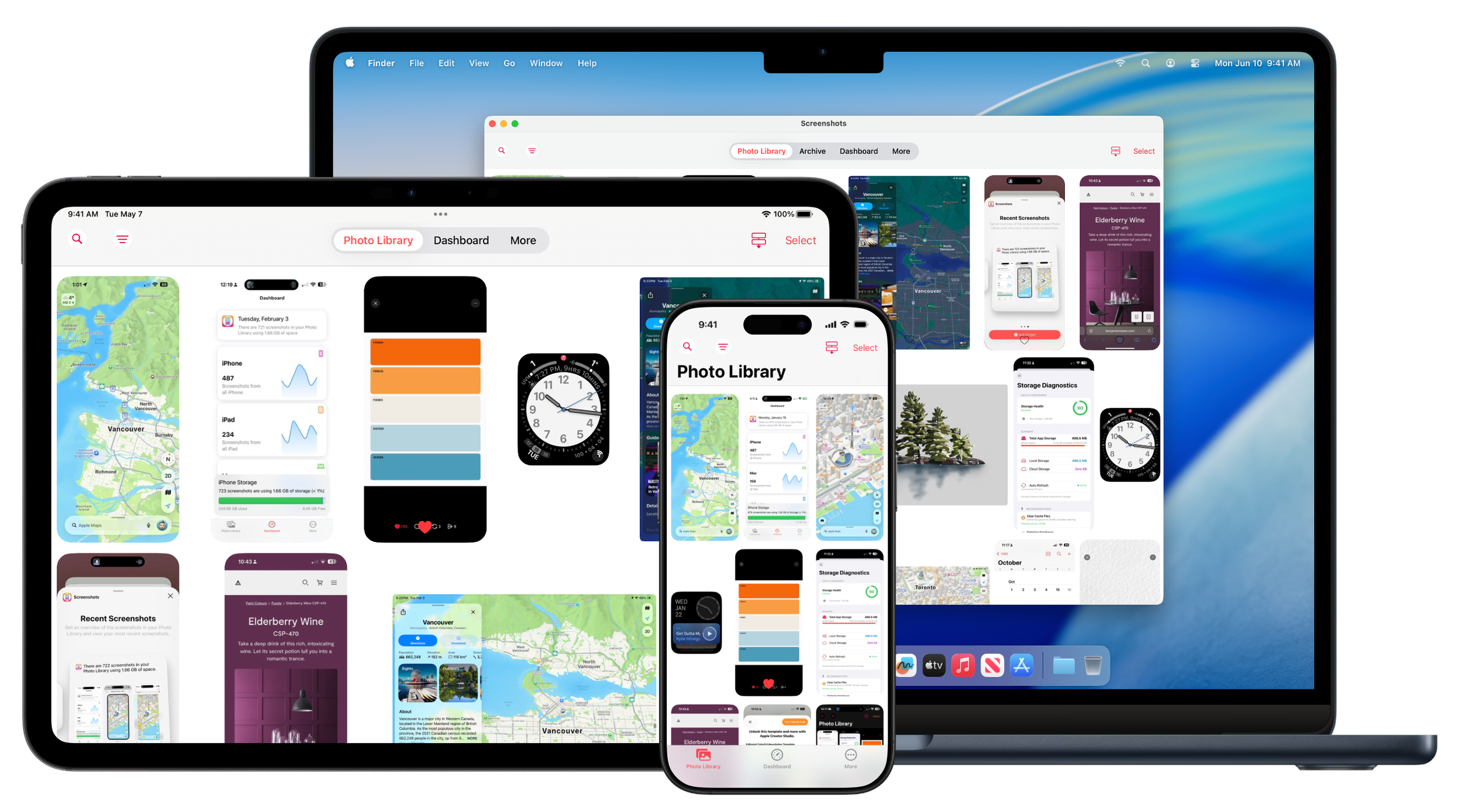

Screenshots Pro for iPhone, iPad, and Mac.
Screenshots Pro makes it simple to manage your iPhone, iPad, and Apple Watch screenshots. Powerful, easy-to-use tools like Device Frames and the Dashboard put you in control of your screenshots.
Screenshots Pro 2026.1 - Available Now
“If you are a current [Screenshots Pro] user or are interested in trying out the app, then you will be happy about the recent update bringing new and improved features. With fresh ways to search, improved voiceover and accessibility, and bulk screenshot sharing, organizing, tagging, and syncing your screenshots has never been easier.”
Screenshot Library Chaos Order
Instead of digging through the Photos app, Screenshots Pro automatically finds every screenshot in your photo library, separates them from photos, and turns them into a focused, powerful library built for developers, designers, and power users.
Dashboard
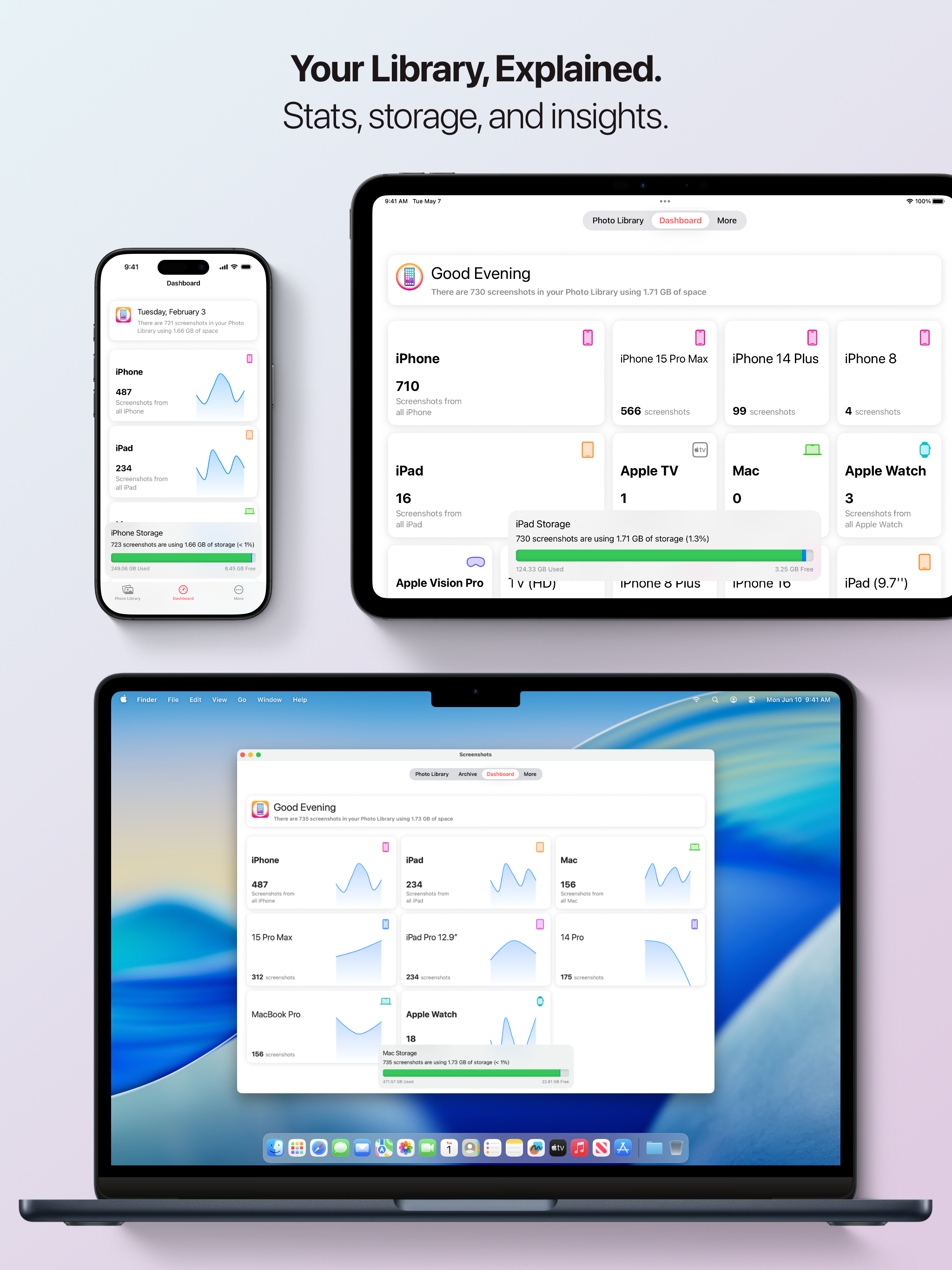
Visually track how much storage your screenshots take on your device, how many screenshots are from each device, and track how much space you’ve saved.
Easy Screenshot Framing
Create App Store ready framed screenshots with one tap. Screenshots Pro includes frames for the latest devices in a wide range of colour options.
Devices frames are supported for iPhone, iPad, and Apple Watch screenshots.
What’s New in Screenshots Pro
Screenshots Pro 2026.1 is a massive update that brings exciting new features, improvements, and a fresh design to help you manage your screenshots better than ever.
New Design
Entirely New Dashboard — Get insights into your screenshot library at a glance with beautiful charts and stats.
New Layout Engine — Smoother scrolling and better performance throughout the app.
New Library Search — Quickly find the screenshots you need with our redesigned search system.
New Library Appearance — Cleaner, more modern look for your screenshot library.
Device Support
iPhone 17 Series Support — Full support for the latest iPhone 17, iPhone 17 Pro, and iPhone 17 Pro Max.
iPhone 17 Device Frames — Frame your iPhone 17 screenshots with beautiful device mockups.
Apple Watch Ultra Support — Now compatible with Apple Watch Ultra screenshots.
Apple Watch Ultra Frames — Show off your Watch Ultra screenshots in style.
Improvements
Updated FAQ — More helpful answers to common questions.
Better Performance — Faster loading and smoother scrolling.
Better Menus - Improved Photo Library multiple selection actions and copy and share up to 20 screenshots at a time.
New Features
Screenshot Text OCR — Extract and search text directly from your screenshots (Premium feature).
Hidden Asset Support — Better privacy with support for hidden screenshots. (Requires Hidden folder is not protected by FaceID).
New Recents Widgets — See your latest screenshots right from your home screen.
macOS Version — Screenshots Pro is now available on the Mac!
Changes
Legacy Device Support — iPhone 5, 5s, and 5c are now considered legacy devices. Enable "Legacy Devices" in Settings to see screenshots from these devices.
Archive Feature Sunset — The Archive feature is being sunset and will be removed in a future version. Please migrate your archived screenshots to the Photo Library.
Beta Access - Access to the Screenshots Pro beta now requires a Premuim Subscription or purchase to sign up.
Bug Fixes
Various stability improvements and bug fixes
We hope you enjoy this update! If you have any feedback or questions, please reach out to us through the app's support section.
— The Screenshots Pro Team
Screenshots, simplified.
Screenshots Pro requires an iPhone, iPad, or iPod touch running iOS 18 or later. Some features require your device be signed into iCloud with iCloud Drive enabled and a paid Screenshots Pro Premium Subscription.
Screenshots Pro Copyright © 2015 - 2026 Wesley Dyson.
Made in Canada.