Screenshots Pro icon

All Your Screenshots. Organized, easy to find, and now on the Mac.

Screenshots Pro makes it simple to manage your iPhone, iPad, and Apple Watch screenshots. Powerful, easy-to-use tools like Device Frames and the Dashboard put you in control of your screenshots.

Screenshots Pro 2026.2 — Available Now
Download on the App Store
Screenshots Pro on iPad
Requires
iOS 18+
Platforms
iPhone · iPad · Mac
Version
2026.2
Pricing
Free + Premium
iCloud Drive
Required for sync
Screenshot library on iPhone

Chaos → Order

Screenshot Library

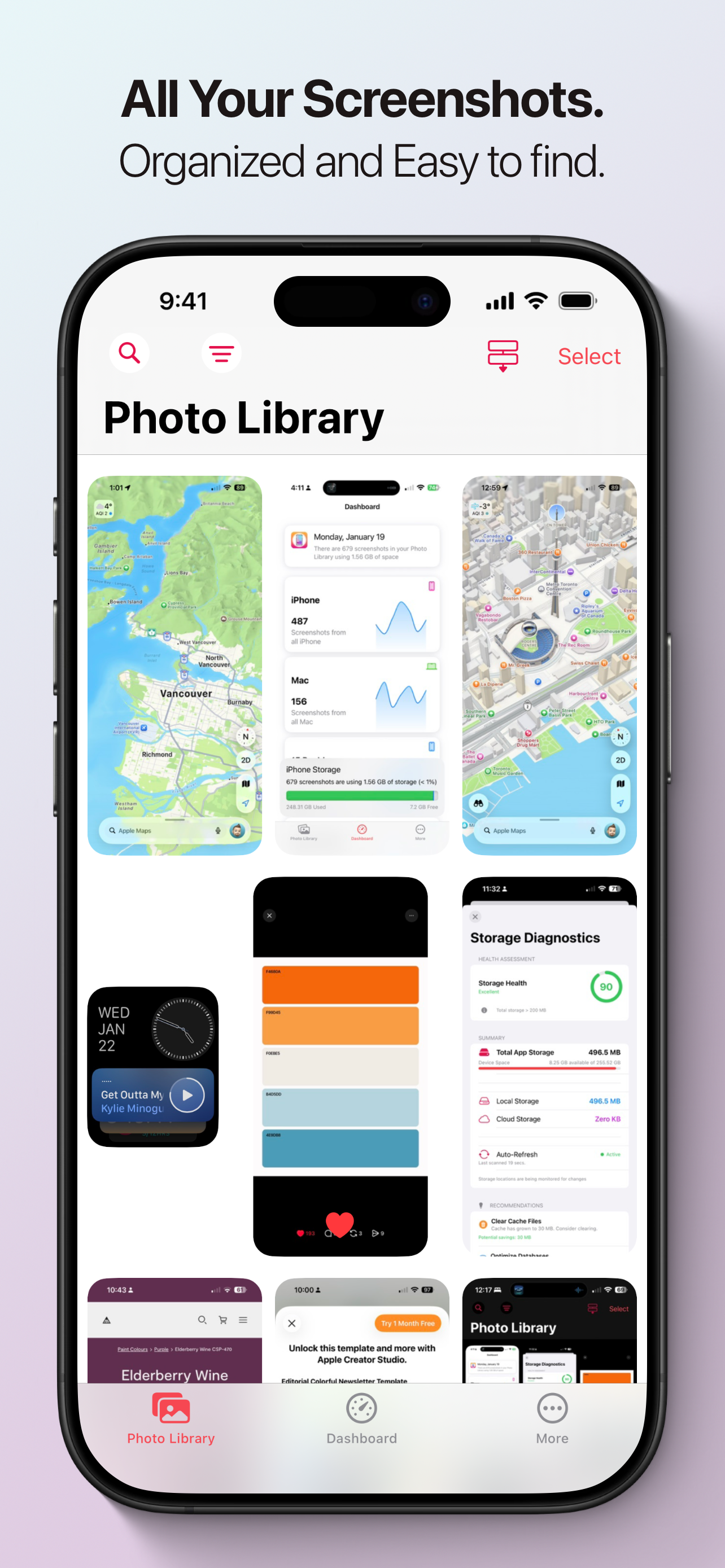
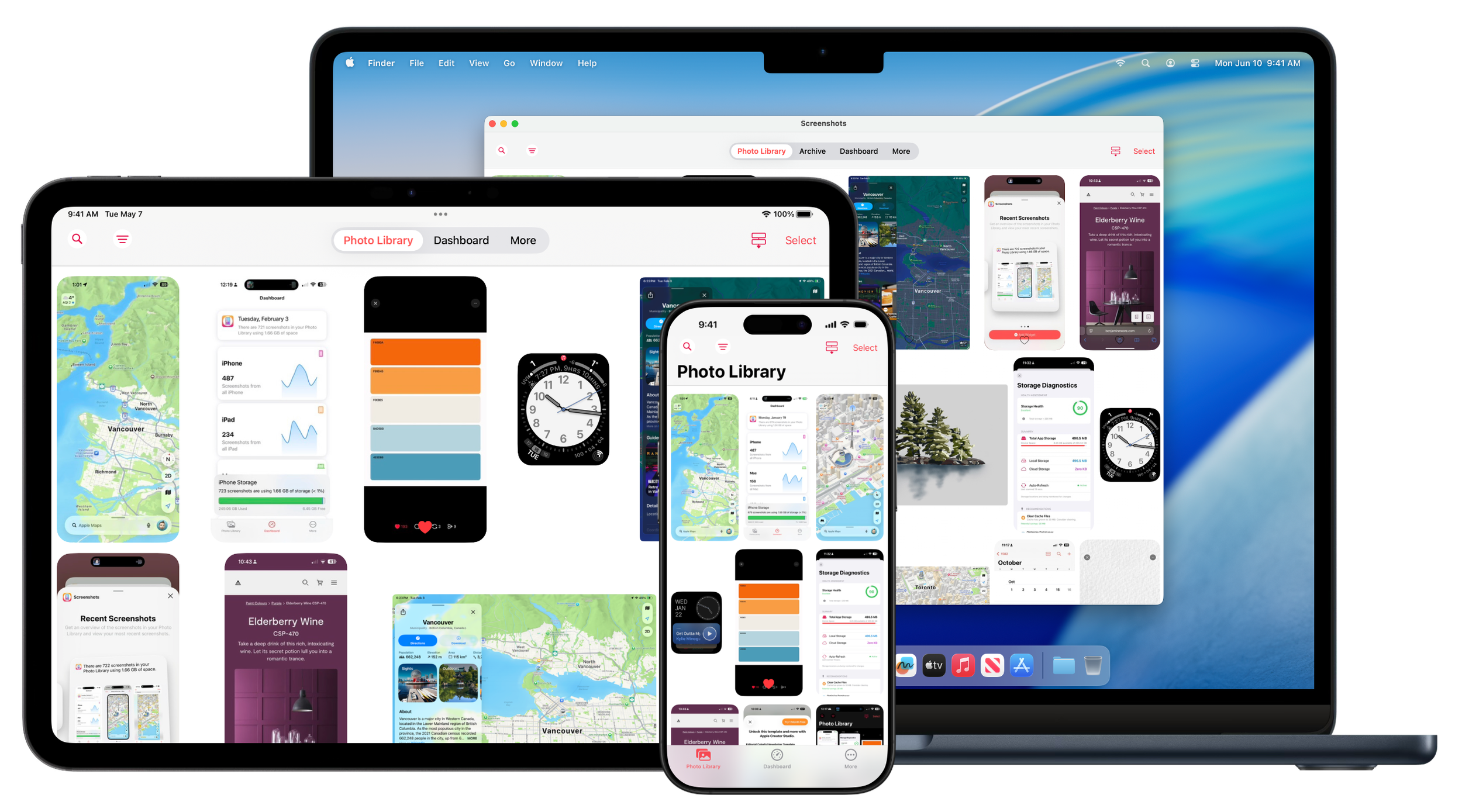
Instead of digging through the Photos app, Screenshots Pro automatically finds every screenshot in your photo library, separates them from photos, and turns them into a focused, powerful library built for developers, designers, and power users.

Dashboard on iPhone

Dashboard

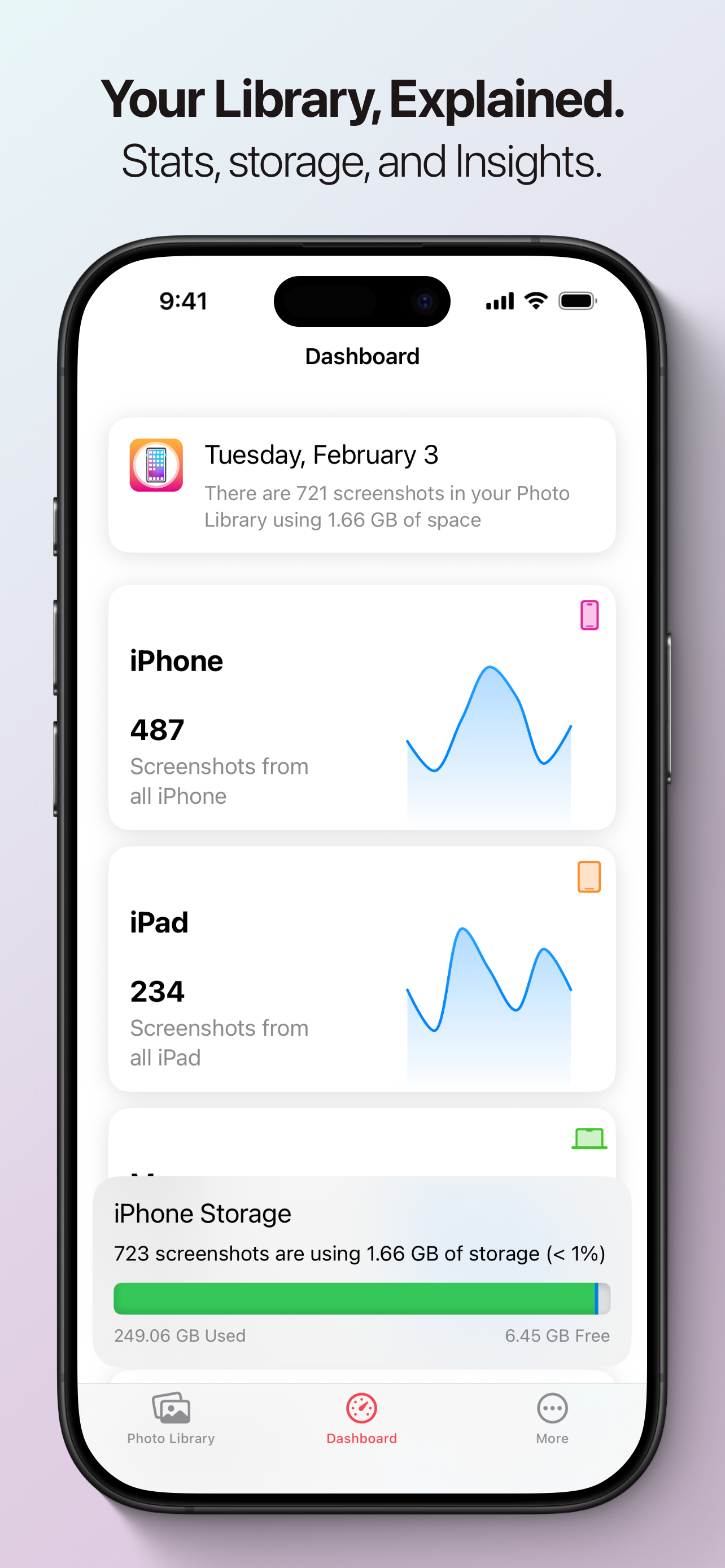
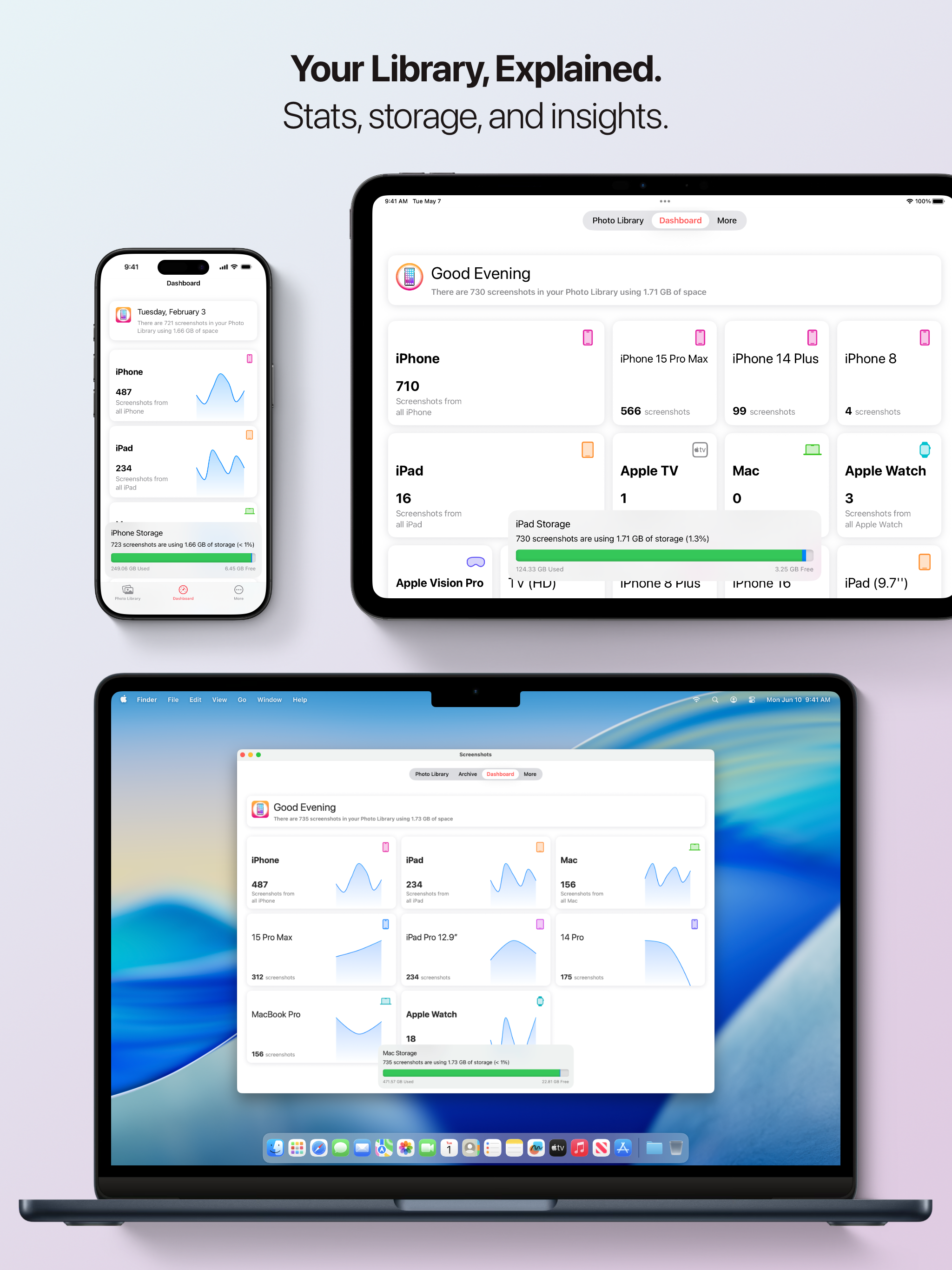
Visually track how much storage your screenshots take on your device, how many screenshots are from each device, and track how much space you've saved.

Device framing on iPhone

Easy Screenshot Framing

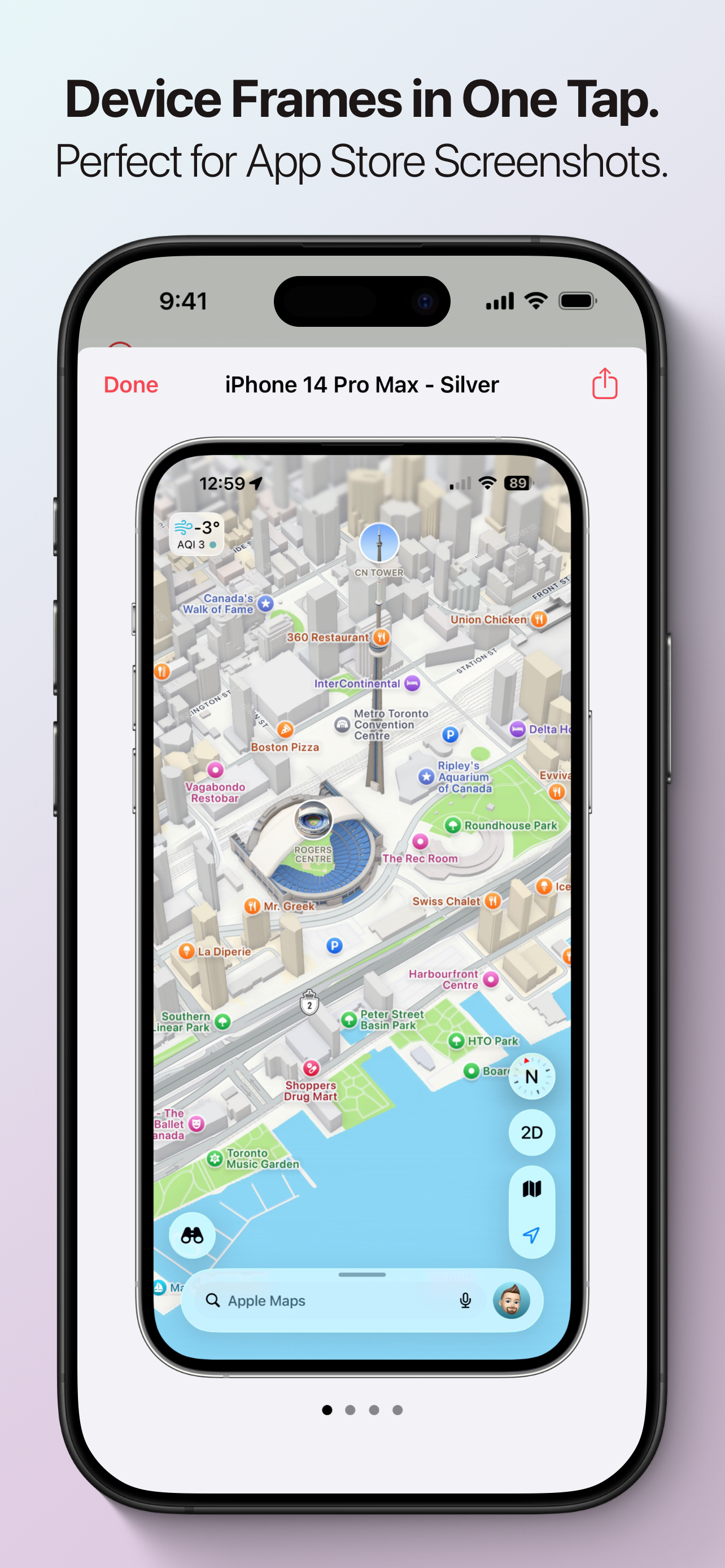
Create App Store ready framed screenshots with one tap. Screenshots Pro includes frames for the latest devices in a wide range of colour options. Device frames are supported for iPhone, iPad, and Apple Watch screenshots.

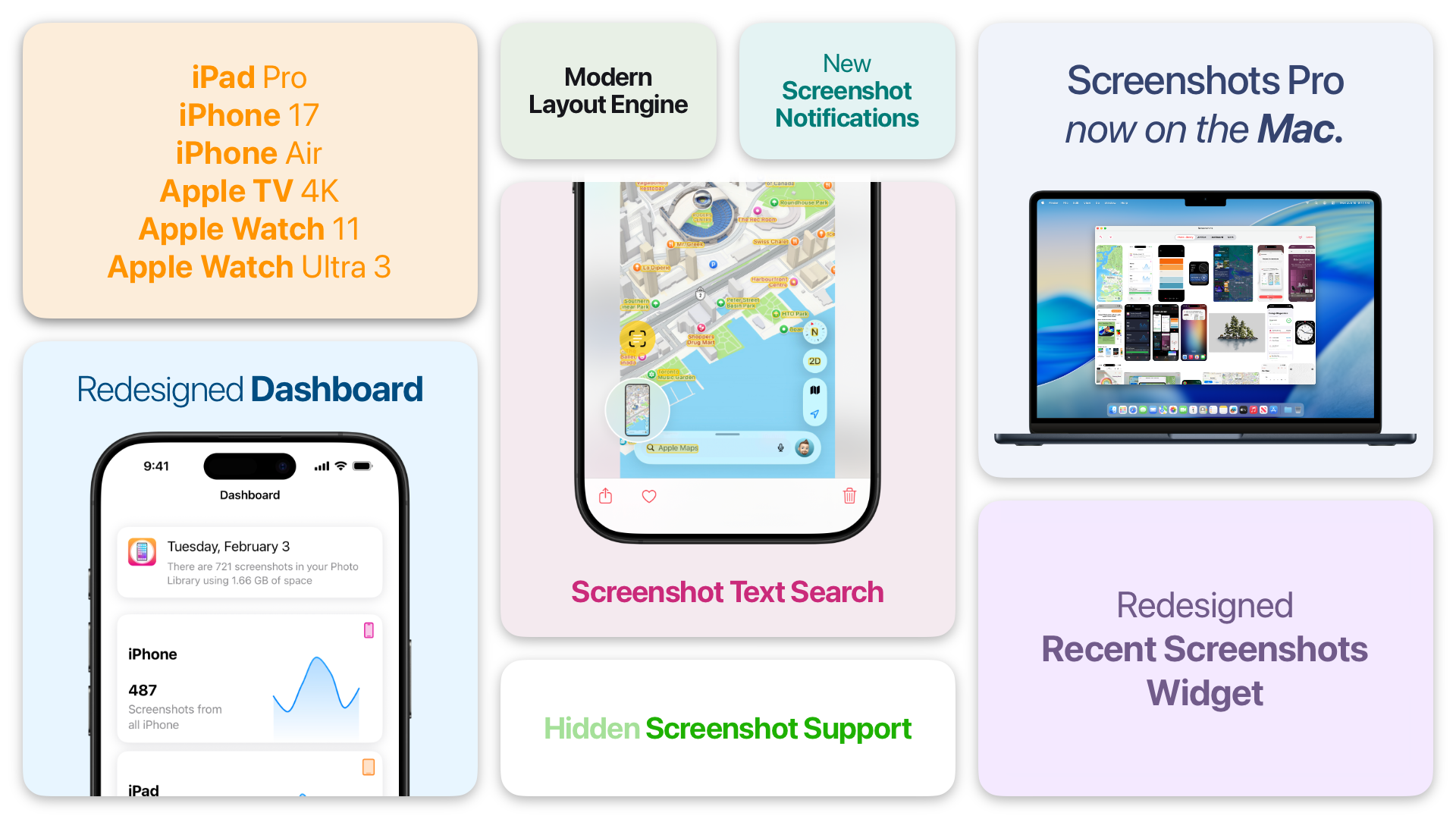
Screenshots Pro 2026.2 feature overview

What's New in Screenshots Pro

New Design

  • Entirely New Dashboard — Get insights into your screenshot library at a glance with beautiful charts and stats.
  • New Layout Engine — Smoother scrolling and better performance throughout the app.
  • New Library Search — Quickly find the screenshots you need with our redesigned search system.
  • New Library Appearance — Cleaner, more modern look for your screenshot library.

New Features

  • Screenshot Text OCR — Extract and search text directly from your screenshots (Premium feature).
  • Hidden Asset Support — Better privacy with support for hidden screenshots. (Requires Hidden folder is not protected by Face ID).
  • New Recents Widgets — See your latest screenshots right from your home screen.
  • macOS Version — Screenshots Pro is now available on the Mac!

Device Support

  • iPhone 17 Series Support — Full support for the latest iPhone 17, iPhone 17 Pro, and iPhone 17 Pro Max.
  • iPhone 17 Device Frames — Frame your iPhone 17 screenshots with beautiful device mockups.
  • Apple Watch Ultra Support — Now compatible with Apple Watch Ultra screenshots.
  • Apple Watch Ultra Frames — Show off your Watch Ultra screenshots in style.

Improvements

  • Updated FAQ — More helpful answers to common questions.
  • Better Performance — Faster loading and smoother scrolling.
  • Better Menus — Improved Photo Library multiple selection actions and copy and share up to 20 screenshots at a time.

Changes

  • Legacy Device Support — iPhone 5, 5s, and 5c are now considered legacy devices. Enable "Legacy Devices" in Settings to see screenshots from these devices.
  • Archive Feature Sunset — The archive feature is being sunset and will be removed in a future version. Please migrate your archived screenshots to the Photo Library.
  • Beta Access — Access to the Screenshots Pro beta now requires a Premium Subscription or purchase to sign up.

Bug Fixes

  • Various stability improvements and bug fixes.

We hope you enjoy this update! If you have any feedback or questions, please reach out to us through the app's support section. — The Screenshots Pro Team

Screenshots Pro — Your Library, Explained
"If you are a current Screenshots Pro user or are interested in trying out the app, then you will be happy about the recent update bringing new and improved features. With fresh ways to search, improved voiceover and accessibility, and bulk screenshot sharing, organising, tagging, and syncing your screenshots has never been easier."
— Sandy Stachowiak, App Advice

Screenshots, simplified.

Screenshots Pro requires an iPhone, iPad, or iPod touch running iOS 18 or later. Some features require your device be signed into iCloud with iCloud Drive enabled and a paid Screenshots Pro Premium Subscription.